Scheduling Software for Service Businesses: 7 Options
 By MatrisAI8 min read
Compare appointment booking, field-job dispatch, and staff scheduling needs before choosing a tool for your service business.

Scheduling software for service businesses can focus on customer appointments, field-job dispatch, or employee shifts, so start by identifying the work you need to schedule. MatrisAI is our own product, and we wrote this comparison to help owners assess it alongside six field-service options.
Use the criteria below as a shortlist, then verify any detail that affects your daily process.
In this article (10)
- How to Compare Scheduling Software for a Service Business
- Field Promax: Compare Its Pricing Claim with Your Workflow
- FieldVibe: Assess the Solo-Operator Plan Claim
- RazorSync: Verify the Solo-User Price and Daily Fit
- Kickserv: Check the Lite Plan Against Contractor Needs
- ServiceM8: Understand the Pay-Per-Job Claim
- Vonigo: Request Details for a Custom Quote
- MatrisAI: Check the Fit for Appointment Scheduling
- How to Choose Scheduling Software for Your Business
- Scheduling Software Questions
How to Compare Scheduling Software for a Service Business
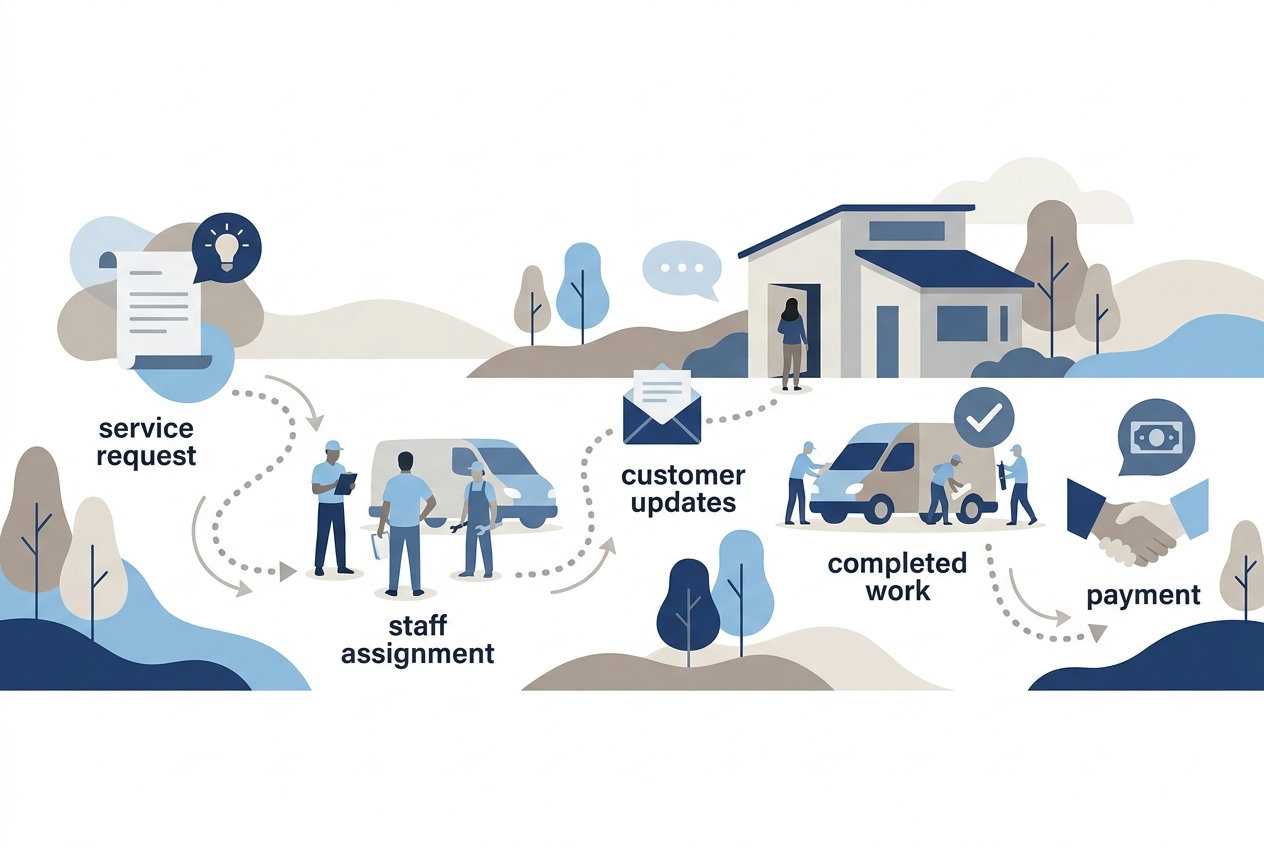
These options do not all address the same scheduling problem. Appointment scheduling lets a customer select a service and available time. Field-service scheduling centers on assigning jobs to technicians, while employee-shift scheduling plans staff coverage. A business may need one type or a combination, so compare the workflow rather than relying on a broad product label.
Apply the same questions to each product you consider:
- Team and job fit: Can you assign work to the right person, account for recurring work, and see the schedule for the whole team?
- Mobile use: Can staff review their schedule and update job status while away from the office?
- Dispatch and location: Does the workflow support technician assignment, route guidance, or location-based decisions when those matter to your service area?
- Customer communication: Can customers book, receive reminders, or get updates that suit your process?
- Job administration: Check for work orders, payments, invoicing, and accounting connections if these form part of your workflow.
- Total cost: Compare team limits, per-user or per-job charges, extra fees, trial terms, and contract conditions. Confirm which details apply to the plan you would actually use.
The table records only source-backed details available for each product. It does not establish that the listed detail is the product's full feature set.
| Product | Evidence to use in your comparison |
|---|---|
| Field Promax | The cited source claim is about its starting price and trial; see its section below. |
| FieldVibe | The cited source claim concerns a plan for solo operators; see its section below. |
| RazorSync | The cited source claim concerns its solo-user starting price; see its section below. |
| Kickserv | The cited source claim concerns the Lite plan's starting price; see its section below. |
| ServiceM8 | ServiceM8 uses pay-per-job credits, as of 11/21/2026. Source. |
| Vonigo | The cited source claim concerns custom-quote pricing; see its section below. |
| MatrisAI | Online appointment booking, team calendar, and appointment reminders. |

Field Promax: Compare Its Pricing Claim with Your Workflow
For Field Promax, the source reports a monthly starting price for two users and a free trial. Those terms are stated as of 2026-11-21; the source claim does not establish which scheduling features, additional charges, or contract terms apply to a particular plan. Read the Field Promax claim and source.
Pros
- The cited comparison gives a starting-price and trial reference for initial research.
Cons
- The cited claim does not establish mobile scheduling, dispatch, recurring jobs, or integrations; verify any workflow requirement directly.
Field Promax may suit an owner evaluating field-service scheduling for a small team, provided the product's current workflow and plan details meet the criteria above.
FieldVibe: Assess the Solo-Operator Plan Claim
The cited source describes FieldVibe as having a free-forever plan for solo operators, as of 2026-11-21. That claim does not state the plan's feature limits, supported scheduling workflow, or fees that may apply to other plans. Read the FieldVibe claim and source.
Pros
- The source identifies a plan intended for solo operators.
Cons
- The cited claim does not establish what the plan includes or how it handles team scheduling, dispatch, and customer notifications.
FieldVibe may suit a solo operator who wants to investigate a no-cost plan, after confirming its current terms and the tasks it supports.
RazorSync: Verify the Solo-User Price and Daily Fit
The cited comparison lists a monthly starting price for a solo user of RazorSync, as of 2026-11-21. It does not establish plan features, extra fees, or whether the stated terms fit a team with multiple technicians. Read the RazorSync claim and source.
Pros
- The source gives a solo-user starting-price reference to include in a cost comparison.
Cons
- The cited claim does not establish location tools, mobile scheduling, or team pricing.
RazorSync may suit an owner researching scheduling for a solo field-service operation. If staff assignment or routing matters, verify those specific workflows before deciding.
Kickserv: Check the Lite Plan Against Contractor Needs
The cited source lists a monthly starting price for Kickserv's Lite plan, as of 2026-11-21. The claim does not establish which scheduling features are part of that plan or what additional fees and terms apply. Read the Kickserv claim and source.
Pros
- The source names a specific plan and provides a starting-price reference.
Cons
- The cited claim does not establish calendar views, job-status updates, or how the plan handles your team size.
Kickserv may suit a contractor comparing a named plan with their current process. Confirm that it covers the steps from scheduling a job to recording its completion.
ServiceM8: Understand the Pay-Per-Job Claim
The cited comparison describes ServiceM8 as using pay-per-job credits, as of 2026-11-21. It does not state the credit cost, how credits are counted, or which job-scheduling features are included. Read the ServiceM8 claim and source.
Pros
- The source identifies a usage-based billing approach to compare with your expected job volume.
Cons
- The cited claim does not establish credit terms, scheduling tools, or the total cost for your workload.
ServiceM8 may suit an owner who wants to assess a per-job model. Ask how the credit rules work across ordinary, recurring, and changed jobs before estimating costs.
Vonigo: Request Details for a Custom Quote
The cited source says Vonigo pricing is available by custom quote, as of 2026-11-21. The claim does not give a starting price or establish which features, fees, and contract terms a quote would cover. Read the Vonigo claim and source.
Pros
- The source identifies a quote-based pricing approach for a direct cost discussion.
Cons
- The cited claim provides no figure or detail about the scope of a quote.
Vonigo may suit an owner who prefers to discuss requirements and pricing through a custom quote. Prepare your team size, locations, recurring work, and dispatch needs for that conversation.
MatrisAI: Check the Fit for Appointment Scheduling
MatrisAI is designed for salons and appointment-based service businesses. The owner describes the business in their own words, and MatrisAI builds the site from that description. The owner can work in the admin while the design is being finished, then change the site's text, photos, and look from the admin.
For booking, clients choose a service, the person they want, and an available time. The system offers only times that are actually free in the team's schedule, and each booking appears in the team's admin calendar. Clients receive an email confirmation and a reminder before the appointment.
A business can request a deposit or full card payment at booking, or take no payment online. Card payments go to the business's own Stripe account, which pays out to its bank. A business can also save a card at booking for a no-show or late-cancellation fee, up to the amount the client accepted. Gift vouchers can be sold online and spent on a booking.
Every plan starts with a free trial before the first payment, and no card is asked for to sign up or start the trial. The business can use its own domain on every plan and cancel at any time from the billing page. The starting price is $10; compare plan details on MatrisAI pricing.
Pros
- Supports customer appointment selection, a team calendar, email confirmation, and a reminder.
- Offers payment choices at booking, including no online payment.
Cons
- Its described workflow is appointment booking; assess a field-dispatch product instead if technician routing and job dispatch are central requirements.
From the Grow plan, the site can carry Meta, Google, and TikTok tracking to measure the business's own ads, and customers can receive an email asking for a Google review after a visit. On the Pro plan, automatic emails can invite clients to book again when it is time for another visit. MatrisAI may suit an appointment-based business looking for this booking workflow; it is not a like-for-like assumption for every field-job or shift-scheduling need.

How to Choose Scheduling Software for Your Business
Match the product category to the work first. A salon may need customers to choose a service, staff member, and appointment time. A field-service team may need to assign and follow jobs at different locations. A business managing shifts needs a way to organize staff coverage. Avoid treating these as interchangeable tasks.
Then walk through a real example from start to finish. Use the checklist below during a product demonstration or trial:
- Enter a typical appointment or job and assign it to the right person.
- Reschedule it and check how the change appears to staff and customers.
- Review the calendar on the devices your team uses.
- Check how customer booking, confirmations, reminders, and updates work.
- For field jobs, test technician assignment, location details, route guidance, and job completion.
- For repeat work, check the process for recurring appointments or jobs.
- Review payments, invoicing, work orders, and accounting connections if your workflow needs them.
- Confirm onboarding, data migration, extra fees, plan limits, and contract terms.
For a free-plan search, distinguish a genuinely available plan from a free trial, then check its usage limits and included tasks. For a machine shop, map the actual production and service schedule first, then check whether a candidate handles those specific constraints. Do not assume that a field-service or appointment scheduler covers a shop's work just because it has a calendar.
Choose based on the work your team performs, the features you have verified, and the full cost under your expected use. A short written list of requirements makes product comparisons more consistent and exposes unanswered questions before you commit.
Scheduling Software Questions
What scheduling software is free?
The cited source describes FieldVibe as having a free-forever plan for solo operators, as of 2026-11-21. Confirm its current limits and terms before relying on it.
What industries use scheduling for clients?
Any service business that books client appointments may need customer scheduling. The right workflow depends on its services, staff, and available times.
What is the difference between appointment scheduling and field service scheduling software?
Appointment scheduling lets customers select a service and time. Field-service scheduling focuses on assigning and coordinating jobs, often across a team and service area.
What features should service scheduling software include?
Start with the workflow: staff assignment, calendar access, rescheduling, customer updates, and, where needed, routing, recurring work, payments, or job records.
What is the best scheduling software for a service business?
There is no universal fit. Compare appointment booking, field dispatch, or shift planning against your real workflow, team, and verified plan costs.
Your salon, online in a few minutes.
Tell us its name. We do the rest.
3 days free, then from €10 a month. Cancel any time.
Related articles
How to Choose an Online Booking System for a Small Business
Compare booking software by services, team schedules, payments, and customer experience. Use this checklist to plan your online appointments.
Online Food Ordering for Restaurants: 7 Options Compared
Explore seven restaurant ordering options. Melbourne vendor-presence figures are a research starting point, not a measure of performance.
How to Make a Portfolio Website: A Practical Guide
Plan your portfolio, choose what to show and work through a practical build and launch checklist.